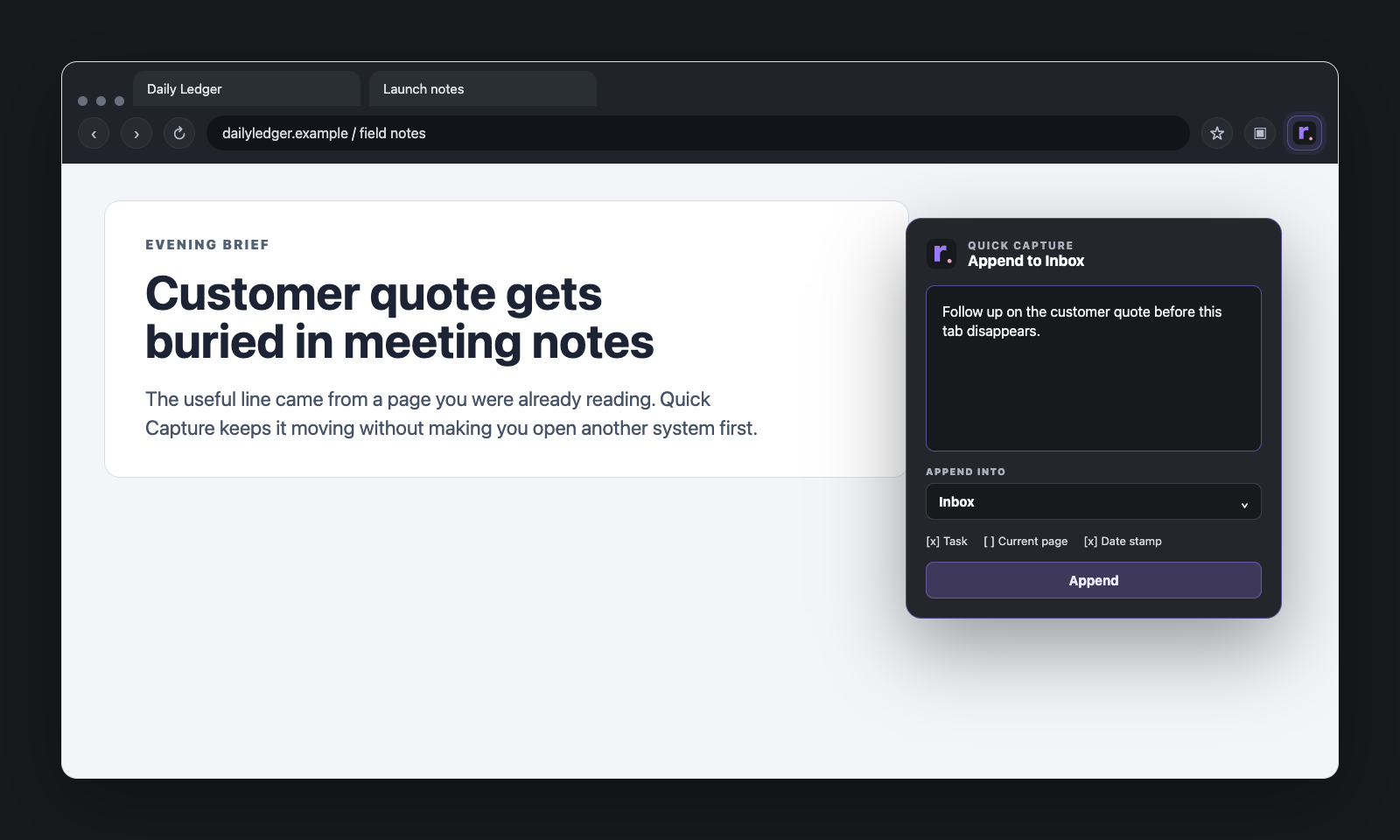
The browser is where a lot of loose text appears first.
A line from a page you want to keep. A question you need to ask later. Three bullets for an email. A task you do not want to forget. A link with one sentence of reaction attached to it.
That kind of text usually arrives too quickly for a heavy workflow. If every capture needs a full note title, a category decision, and a clean destination before you can save it, the capture habit gets annoying fast.
A better browser workflow is usually simpler than people think:
- one obvious intake place
- a very short list of recurring destinations
- one stable workspace tab if you want a calmer setup
Start with one intake place
The easiest way to make capture friction low is to stop asking every incoming piece of text to explain itself immediately.
That is what Inbox is for.
If you are capturing something quickly from the browser, the default question should not be: “What perfect note does this belong in?”
It should be: “Do I need to keep this before it disappears?”
If the answer is yes, Inbox is usually the right first stop.
Capture first. Sort later. That is not laziness. It is how you keep the intake path usable.
Keep the destination list short on purpose
One of the quietest ways capture tools get bloated is by turning the destination picker into a mini file browser.
That sounds helpful until you are staring at a long dropdown every time you want to save one line.
The cleaner rule is:
- Inbox is always there
- anything else has to earn its place
In root, that means Quick Capture stays focused on Inbox and pinned notes.
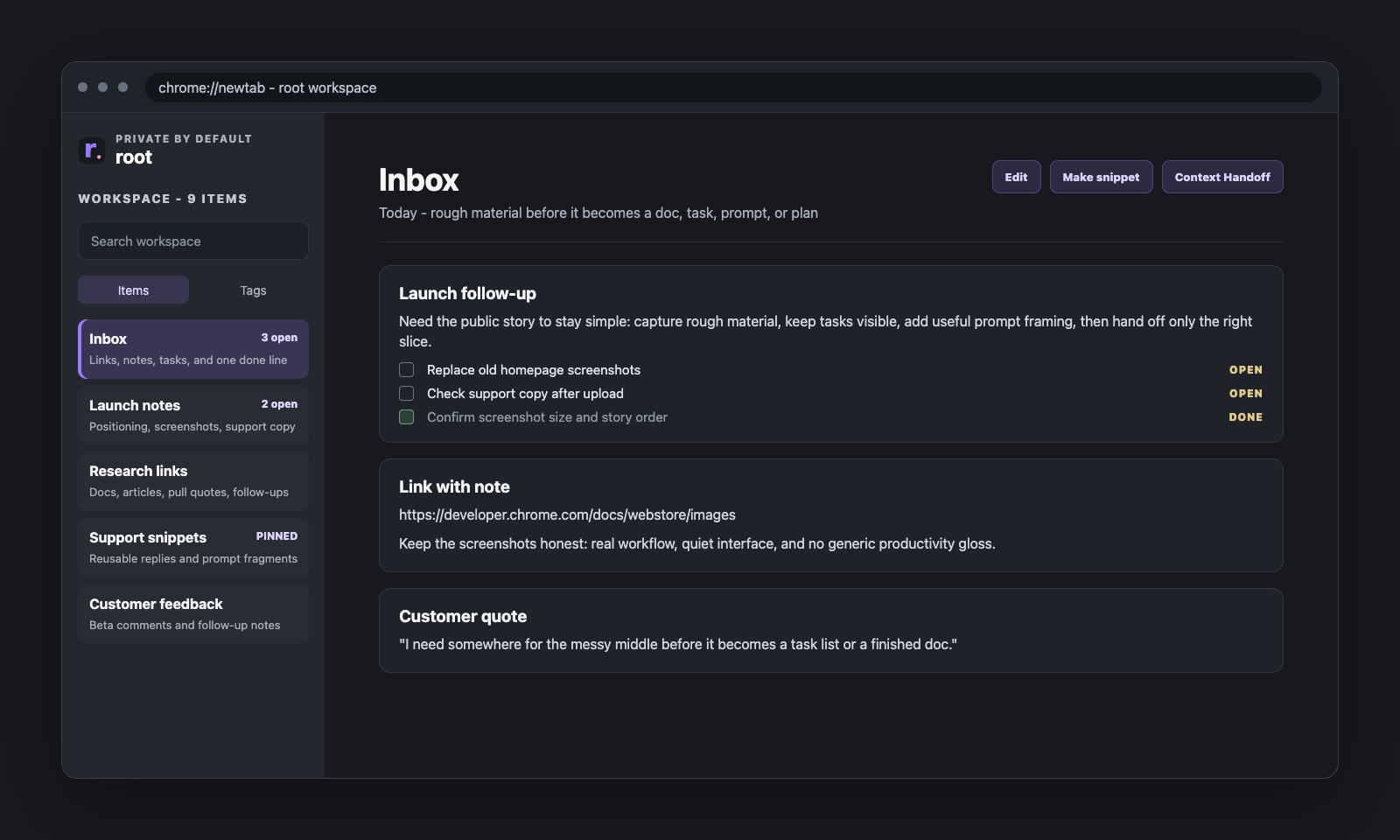
That is a good constraint. If a note is important enough to be a recurring capture destination, pin it. If it is not pinned, it probably does not need to live in the capture picker.
Use pinned notes for recurring work, not everything
Pinning is useful because it turns a note into a real work surface without making the whole workspace feel fixed.
Good things to pin are usually:
- a current client or project note
- a launch checklist
- a recurring planning page
- a place where research fragments need to land for a while
Less good things to pin are random one-off notes that only matter for an hour.
If too many notes become “special,” the special list stops helping.
Choose whether root should be ambient or on demand
This is where browser habits start to matter.
Some people genuinely like root as their new-tab surface. It keeps the workspace close, and for them that is the whole point.
Other people already love their current new-tab flow and do not want every fresh tab to become a workspace.
Both are reasonable.
If you like the ambient version, leave root on new tabs and use it that way.
If you want the calmer setup, turn on Redirect new tabs in Quick Capture and use Open workspace when you actually want the full surface.
That gives you a cleaner split:
- your usual new-tab flow stays intact
- root is still one click away
- the workspace becomes something you open on purpose
Keep one stable workspace tab when you want a calmer setup
One of the easiest ways a browser workspace gets confusing is when it opens in three different tabs and you stop trusting which one is current.
That is why the quieter setup works best when root behaves like one stable home.
In practice, that means:
- turn on redirect mode if you do not want root on every new tab
- open the full workspace from Quick Capture
- keep that tab pinned if it helps
- go back to the same workspace instead of multiplying tabs
That sounds small, but it changes the feel a lot. The workspace stops acting like a browser takeover and starts acting like a reliable desk you can return to.
Use Open Tasks as your reality check
Browser capture gets much better when unfinished lines do not disappear into old notes.
That is where Open Tasks helps. Instead of forcing every task into a separate system, unfinished checklist lines can stay in normal notes and still roll up into one place.
That keeps the workflow lighter:
- capture quickly
- leave the task in the note where it belongs
- still see open work in one view later
What this workflow is trying to protect
Underneath all the little choices, the real goal is simple:
keep capture easy without turning the browser into chaos.
That usually means resisting a few temptations:
- too many destinations
- too many tabs
- too many decisions at capture time
- too much pressure to organize everything immediately
The best browser workflow is not the one with the most options. It is the one you will still happily use on a busy day.
Closing
If capture has been feeling messy, a calmer setup is usually not far away.
Start with Inbox. Keep the capture destinations short. Pin only what deserves to stay close. Decide whether you want root ambient or on demand. If you want the quieter version, keep one stable workspace tab and let the rest of the browser breathe.
Small constraints are often what make a capture system feel good again.