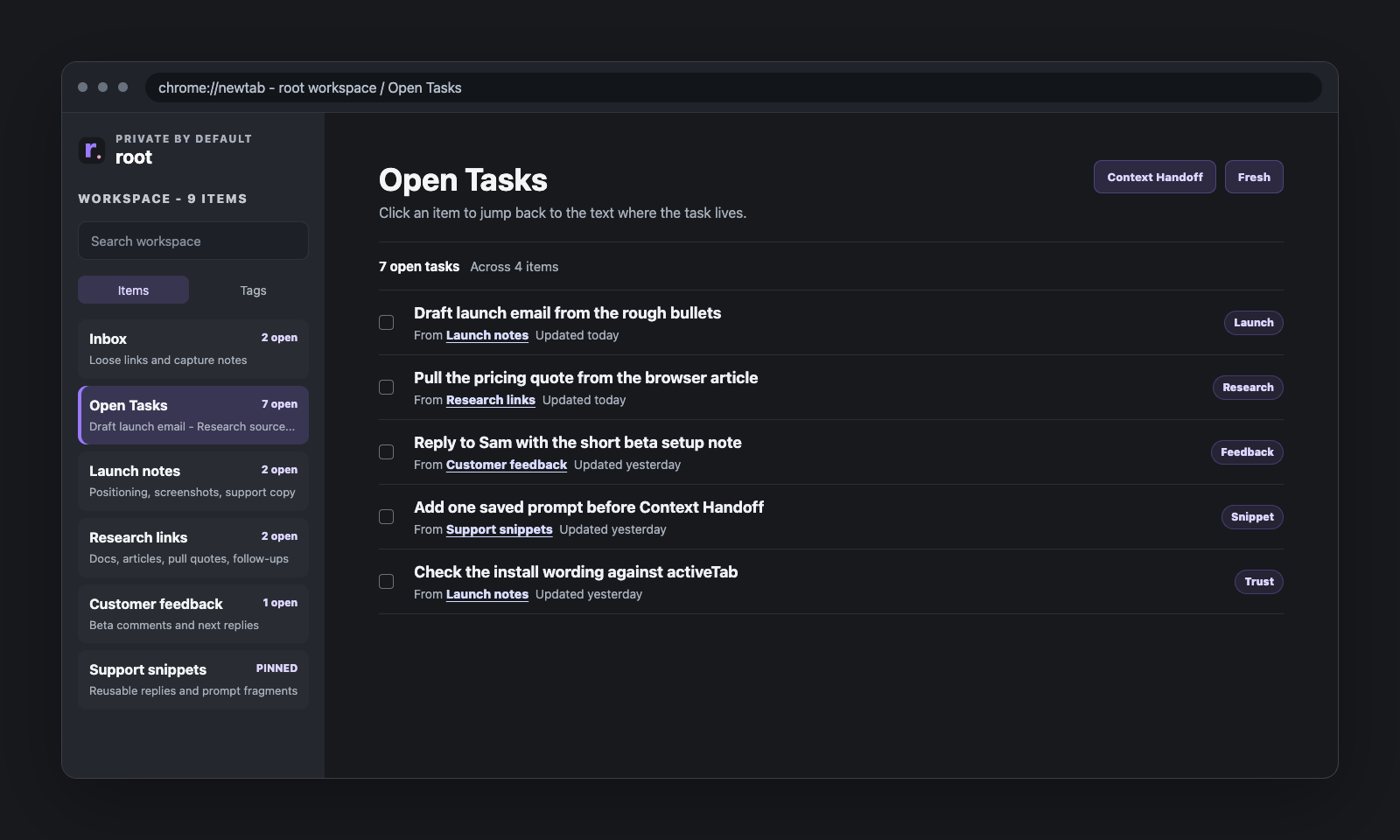
When people first see Open Tasks, it is easy to assume root is trying to be a task app.
That is a fair guess. There is a tasks view. It rolls things up. It shows unfinished work across notes. That sounds a lot like task management.
But the important distinction is this: Open Tasks is a rollup, not a separate system.
The usual problem with task tools
A lot of tasks are born inside other work. You are reading meeting notes, planning a launch, capturing bugs, or writing a support reply, and somewhere inside that text a line becomes a task.
Examples:
- [ ] send revised deck- [ ] ask Sam about the invoice- [ ] fix tag delete bug- [ ] order shelf brackets
The friction usually starts when you have to stop, switch tools, and duplicate the same thought into a separate task system just so it can “count.”
What Open Tasks does instead
Open Tasks says: unfinished checklist lines already living in your notes can roll up here.
- the task stays close to its context
- you do not need a second database
- the unfinished list is still visible in one place
The real trick is not “task management.” It is visibility without duplication.
Three concrete examples
Meeting prep and follow-up
You have a note called Monday leadership meeting. Inside it are talking points, a few references, open questions,
and checklist lines for what still needs doing. Open Tasks can surface the unfinished items without forcing you to move them into a separate meeting project somewhere else.
Bug tracking during active work
Maybe you have a note called tag deletion polish. It contains what is wrong, what you tested, possible fixes,
and tasks like test archived-tag behavior or verify sidebar empty state. Open Tasks lets those lines stay attached to the note where the real thinking lives.
Life admin
A note called House stuff might hold rough notes, vendor numbers, a few links, and checklist lines like
call plumber, replace air filter, and order shelf brackets. Open Tasks gives you a live view of the unfinished bits without asking you to formalize the whole thing.
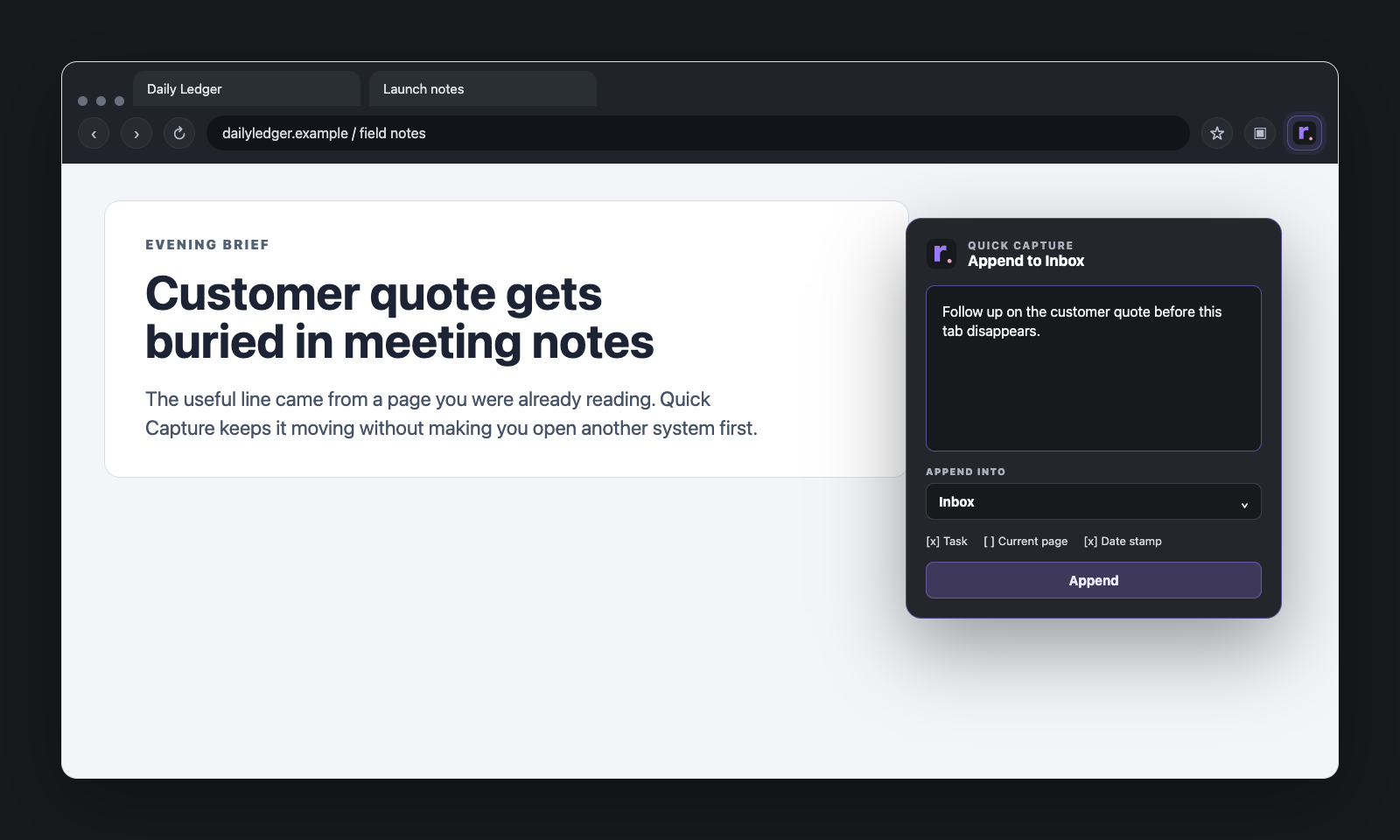
What it is not trying to do
Open Tasks is not trying to be:
- a full project manager
- a due-date engine
- a recurring task system
- a team assignment board
- a heavy prioritization framework
That is not a weakness. That is the point. It is for people who already have tasks inside text and want a better rollup, not a second life running a task app.
Why keeping tasks inside notes can be better
A task line by itself is often too thin. send follow-up does not tell you much. But inside the note where it came from,
it lives next to the decision, the attachment, the blocker, and the exact context that makes the task useful.
Open Tasks works because it preserves that relationship. The task becomes visible without pretending the context no longer matters.
Use it when...
- you want a rollup of unfinished checklist lines from active notes
- the note context still matters
- the task list is part of broader working text
- you want visibility without extra setup
Use a full task manager instead when dates, reminders, recurring work, or collaboration are the main story.
Closing
Open Tasks is useful precisely because it is not trying to become too much. It respects the fact that many real tasks start as lines inside active work, and it makes those unfinished parts easier to see without forcing you into a heavier system than the work actually needs.