root for Codex beta
Bring Codex work into root.
root for Codex is a public beta workflow for saving useful Codex output as local notes, tasks, briefs, answers, and project memory, then importing it into your root workspace when you are ready.
Beta status
Public beta
root for Codex is not a Codex listing yet. The beta is distributed from root as a small download package while the install path and desktop note bridge are being tested.
What it does
Save and reuse the useful parts of a Codex session
Codex threads can hold real decisions, debugging evidence, release checks, and next steps.
root for Codex keeps those pieces as plain local notes first, then root can import them into
your workspace with the structured #codex tag.
- Codex saves useful work as Markdown in
Codex notes. - Root skills can extract tasks, create briefs, and answer questions from your notes.
- root imports from that folder after one permission step.
- Visible
Tags: #codexlines become structured tags. - Files already imported are skipped on the next pass.
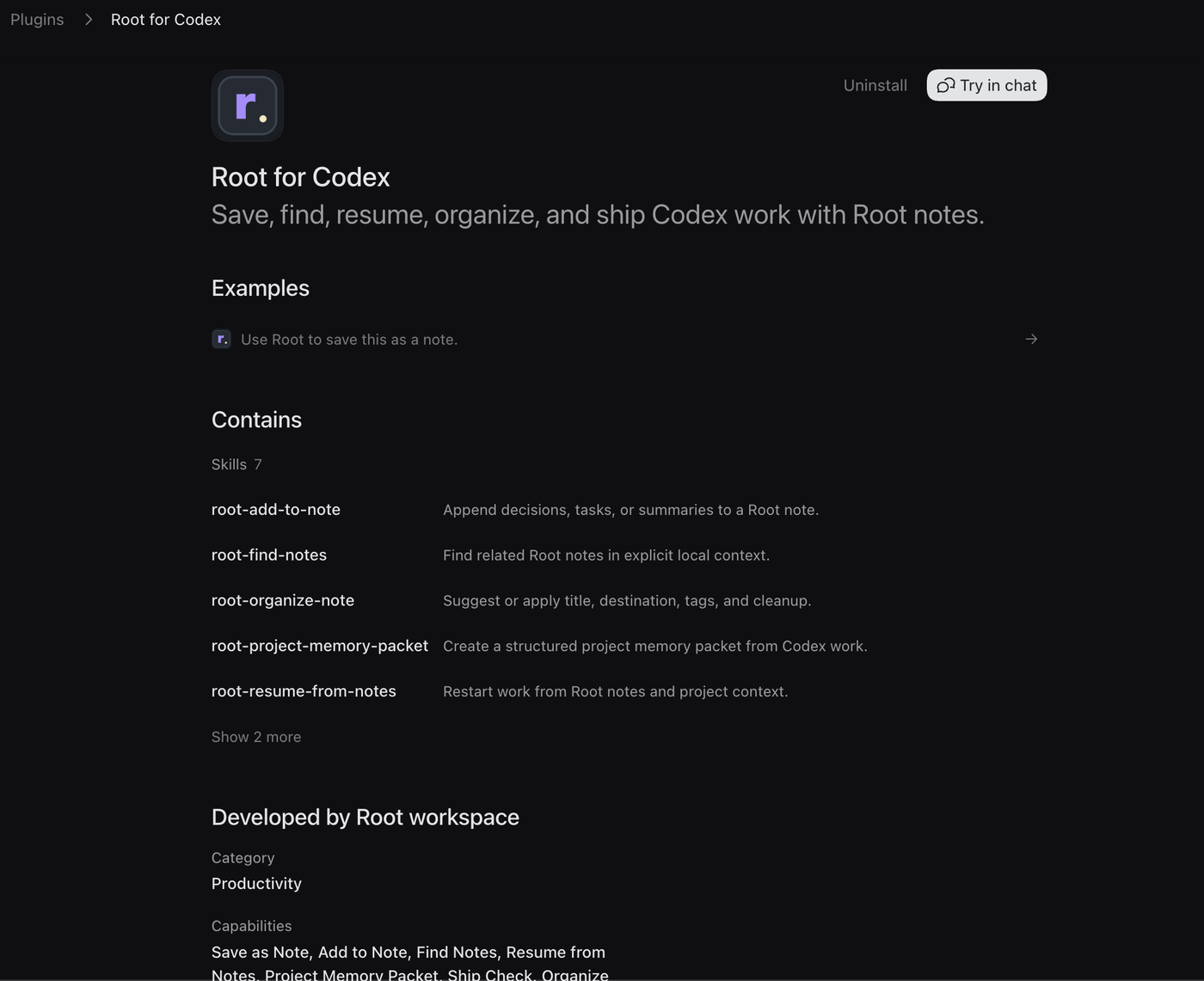
Expected skills
Notes that turn back into work
The beta skill set is meant to feel like a practical notes app for Codex work: save the useful pieces, find them later, turn them into action, and pick the thread back up without rebuilding context.
- Save as Note: Turn an answer, plan, investigation, or decision into a local Markdown note.
- Add to Note: Append a decision, task list, summary, link, or follow-up to an existing Codex note.
- Find Notes: Search supplied context or
Codex notesfor related notes and themes. - Extract Tasks: Turn messy Codex work into clear checkboxes, possible follow-ups, owners, and dates.
- Resume from Notes: Create a concise brief that restarts work from the last known project state.
- Project Memory Packet: Create a structured packet with project, lane, decisions, artifacts, blockers, next actions, evidence, and resume prompt.
- Create Brief: Turn scattered notes into a product, project, bug, research, client, or team brief.
- Answer from Notes: Answer a question using Codex notes, with evidence, inferences, confidence limits, and related notes.
- Ship Check: Prepare blockers, QA, release notes, handoff, and follow-up decisions before shipping.
- Organize Note: Suggest a title, destination, tags, lane, summary, and cleanup for rough project notes.
Plugin installation
Download the public beta
root for Codex is available as a public beta download. Install it in Codex first,
save a note with @Root, then import Codex notes in root Chrome Beta.
Beta download
root for Codex beta
Download the local plugin package, unzip it somewhere stable, add it as a Codex plugin marketplace,
then install root for Codex from Codex Plugins.
Verify the download
Check the file before installing
A checksum lets you confirm the zip you downloaded is the same file root published. If the checksum does not match exactly, delete the file and download it again from rootworkspace.com.
- Mac: Run
shasum -a 256 ~/Downloads/root-for-codex-beta.zipand compare the result with the SHA-256 above. - Windows: Run
Get-FileHash "$env:USERPROFILE\Downloads\root-for-codex-beta.zip" -Algorithm SHA256in PowerShell. - Match required: The full checksum should be
4cdc0cd77bbf914dc053ac0d3091593af7fc801f0dafb10a9c6f10011912bf7b.
Install steps
Add the plugin to Codex
- Unzip: Unzip the download somewhere stable, such as
~/Downloads/root-for-codex-beta. - Create folder: Create a folder named
Codex notessomewhere stable, such as Documents. - Add the marketplace: Run
codex plugin marketplace add ~/Downloads/root-for-codex-beta. - Install in Codex: Open Codex Plugins, go to Created by me / Personal, and add
root for Codex. - Start fresh: Open a new Codex thread so the installed plugin is available.
- Try Root: Use
@Root save this as a note. - Import in root: Open root Chrome Beta, choose
Import Codex notes, and selectCodex notes.
Uninstall
Remove the plugin without deleting notes
Remove root for Codex from Codex Plugins when you no longer want it available. This does not delete
Markdown notes from your Codex notes folder or imported notes from root Chrome Beta.