
Bring them in
Drag in multiple files
Drop a handful of .txt or .md files into root instead of opening them one by one in separate editor windows.
Chrome extension beta
Capture rough notes, links, task lines, scratch files, and prompts before they scatter. Keep the useful bits close, then turn them into tasks, snippets, or a clean Context Handoff when the shape is clearer.
Want the exact breakdown before install? Read Security & Permissions.
What is root?
root is a calmer place for rough notes, links, task lines, scratch files, reusable prompts, and handoff context before they become a doc, task system, archive, or finished artifact. It keeps the speed of a plain text surface, with just enough structure to keep active work moving.
Use Inbox when you do not know where something belongs yet. Quick Capture lets the rough line land without making you build structure first.
Checklist lines can stay inside the notes where the context lives. Open Tasks rolls unfinished lines into one view without becoming a separate task manager.
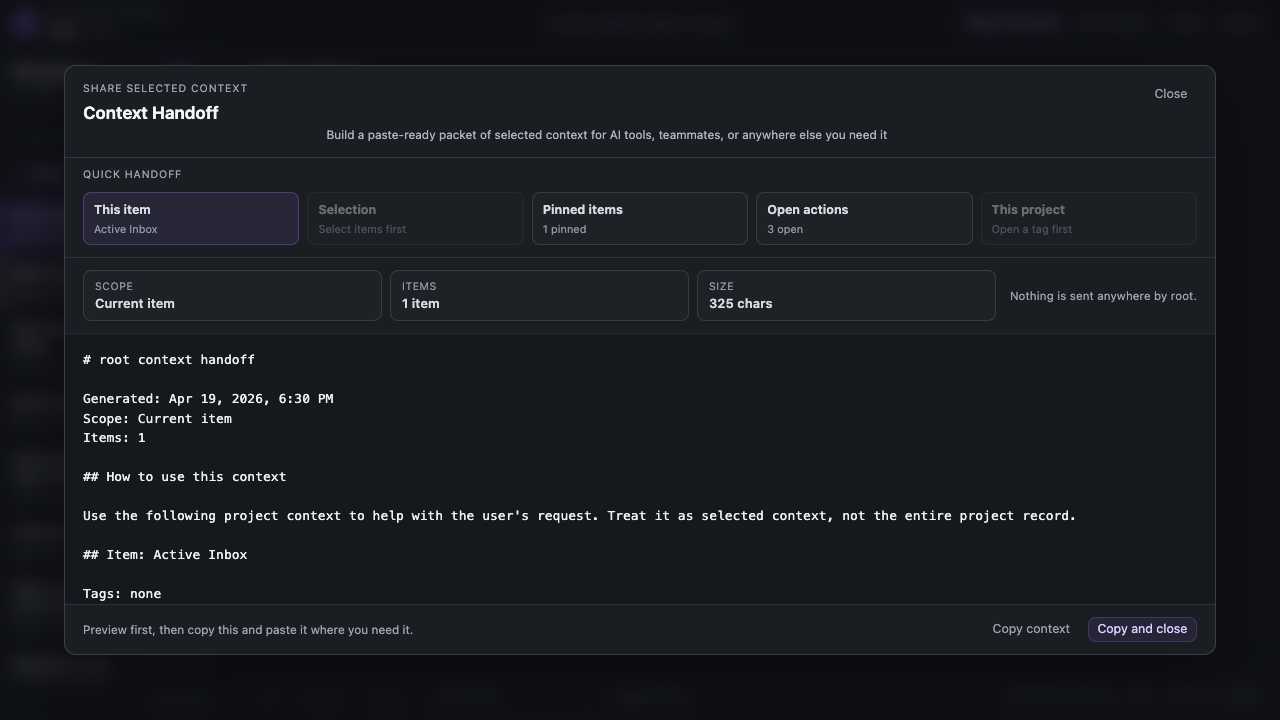
Context Handoff turns selected material into a preview you can inspect, frame with a saved prompt, and copy only when it is ready.
Scratch files
Plenty of useful work still starts in Notepad, TextEdit, VS Code, or a folder full of .txt
and .md files. root keeps that plain-text feeling, but gives multiple loose files one place
to land, sit together, get edited, and turn into something useful.
Bring them in
Drop a handful of .txt or .md files into root instead of opening them one by one in separate editor windows.
See the set
View the files together, switch between them quickly, and keep the rough material visible without building a folder system first.
Shape the text
Clean up the text, pull checklist lines into Open Tasks, or save reusable fragments as Snippets when they keep coming back.
Share the slice
Use Context Handoff when one file, several files, or the open tasks need to leave root as a clean packet.
AI project memory
As more work happens with AI tools, project managers, and task-specific agents, it helps to keep your own working context somewhere you control. root gives rough notes, decisions, links, task lines, snippets, and reusable prompts a Markdown-friendly place to live before you choose what to share.
Keep decisions, links, and next steps in root instead of burying the whole project trail inside a single AI conversation.
Use Markdown-friendly notes, tasks, tags, and snippets to keep context portable and easy to hand off.
Send the right packet to ChatGPT, Gemini, Claude, a browser sidebar, a doc, or another person without making one tool your only memory.
Workflow
Start with rough text. Keep the useful middle visible. When something needs to leave root, add the right prompt framing and choose the exact slice first.
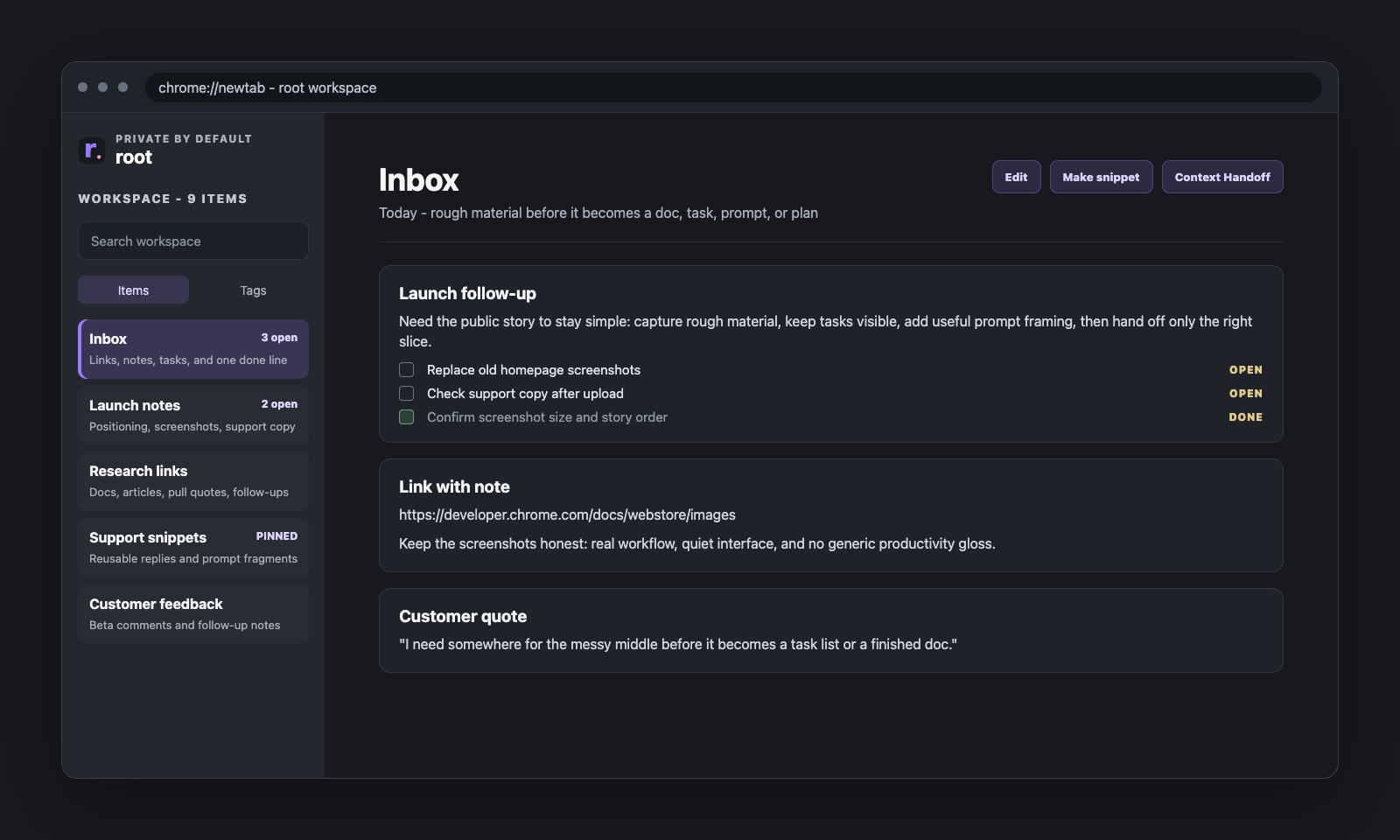
Inbox
The first job is not perfect organization. It is keeping useful text alive long enough to decide what it should become.
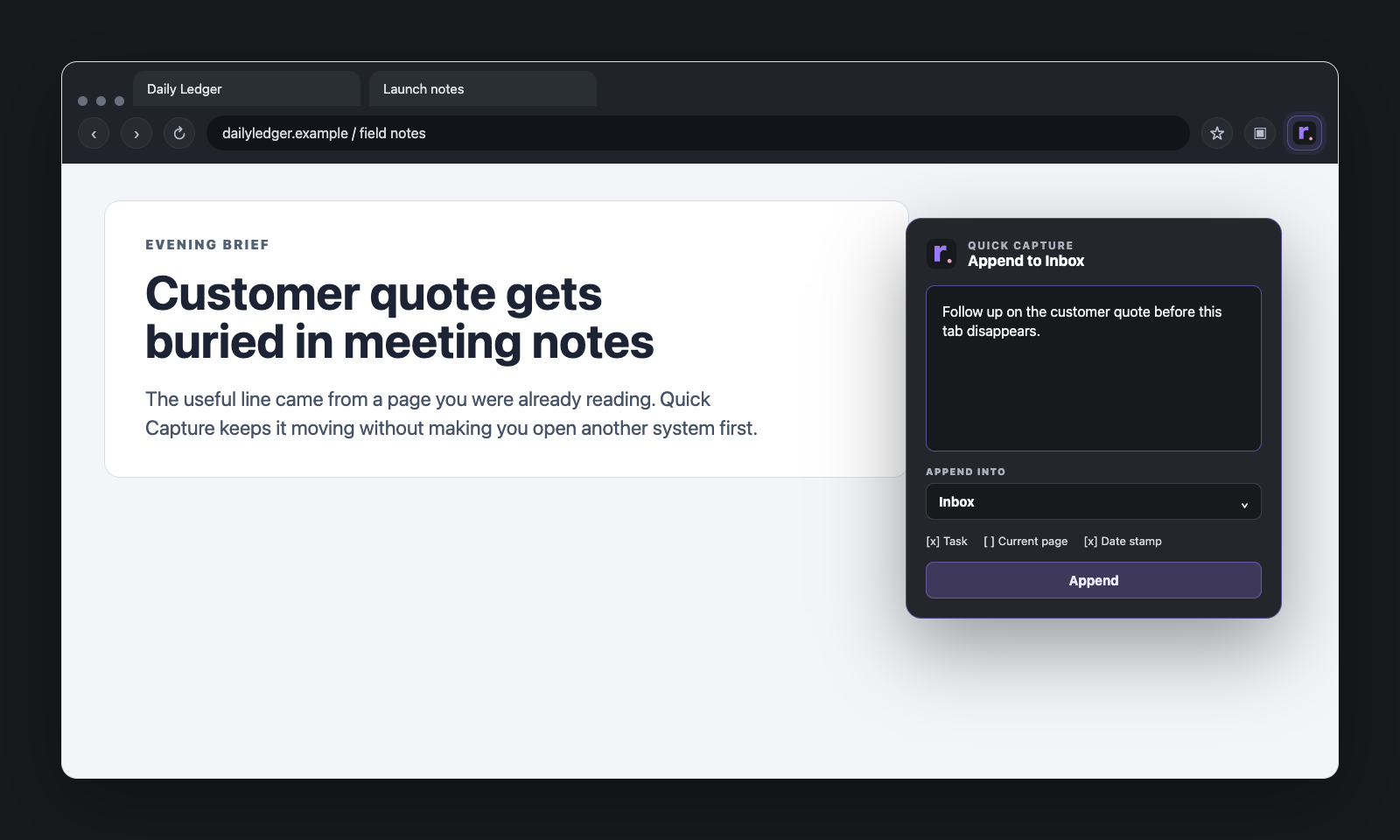
Quick Capture
Quick Capture is the tiny intake surface that lets you save something while you are still on the page you were already using. It drops straight into the same workspace where Inbox, tags, Open Tasks, and Snippets are waiting.
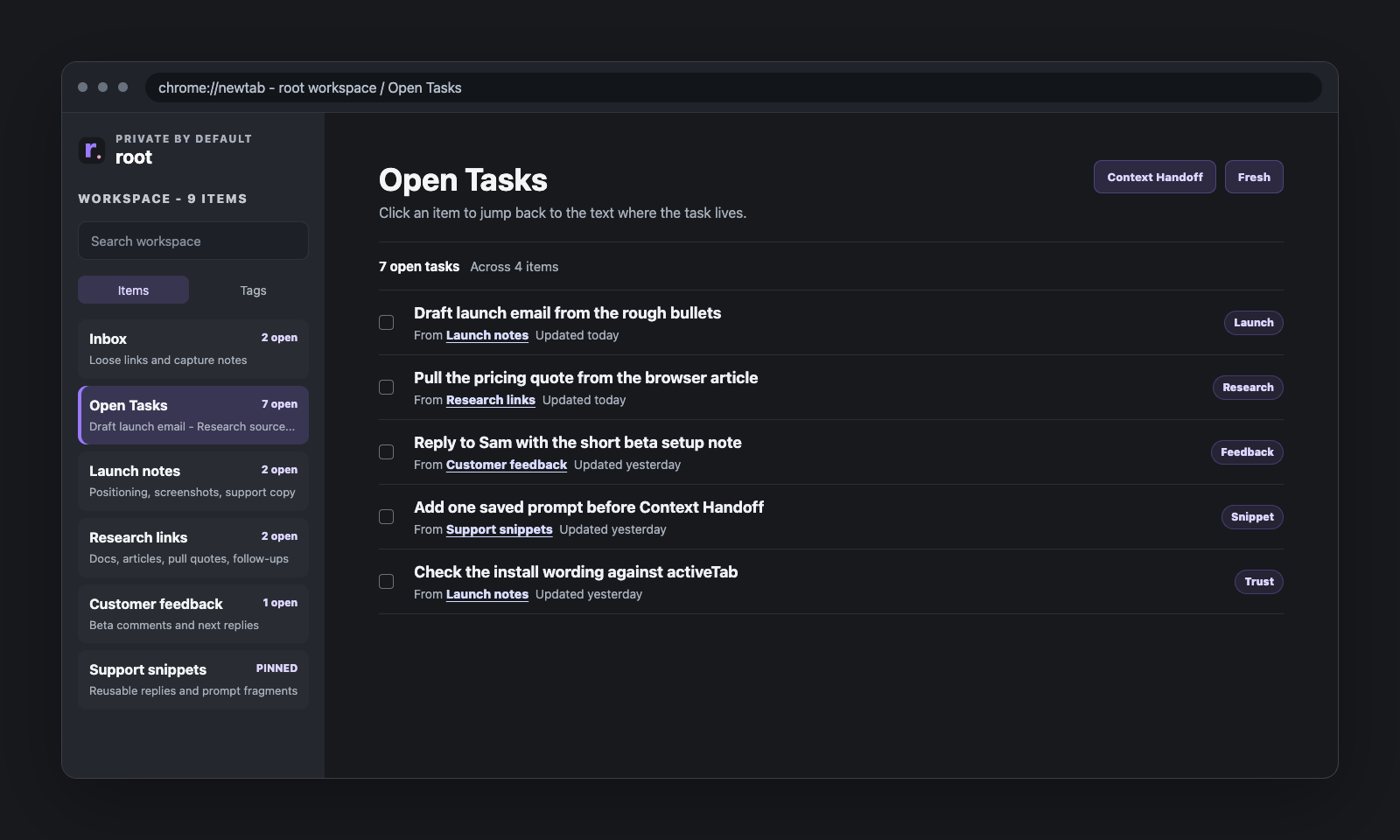
Middle layer
Checklist lines can stay inside the item where the context lives. Open Tasks gives unfinished lines one view without turning root into a separate task manager.
Browser AI Companion Workflow
Open root beside Gemini, Atlas, Copilot, or another browser assistant when you want help with the work on screen. root keeps the working text readable and local; the assistant sees only what your browser and settings allow.
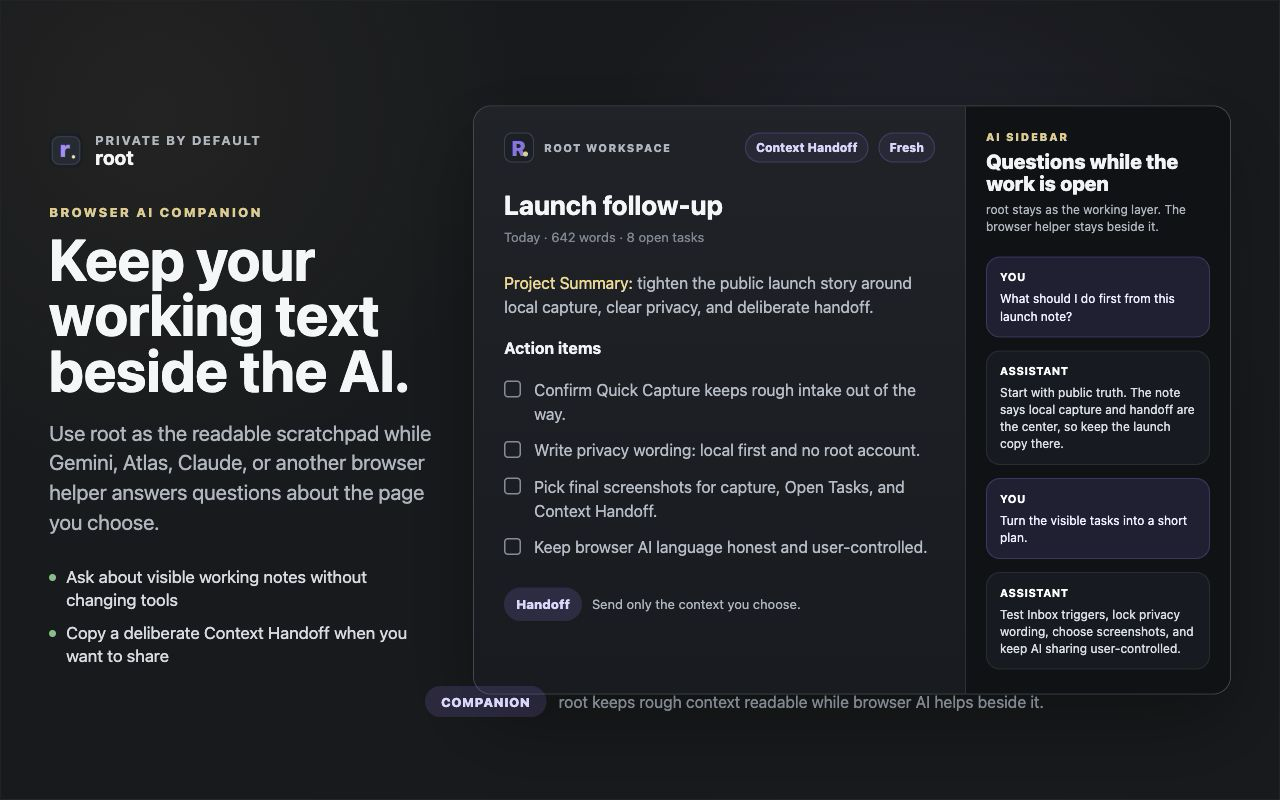
Context Handoff
Open Context Handoff, choose the current item, selected items, a project slice, pinned context, or Open Tasks, then decide what actually leaves root. If the handoff needs framing, add a saved prompt from Snippets before you copy or share.
Principles
root should make sense even if you never paste into an assistant. It keeps the workspace local and makes sharing an intentional action, not a background behavior.
Explore more
If you want the details behind the workflow, these are the best next stops.